Infrastructure·
Profiling TorchNeuron on AWS Trainium: System‑Level Insights for Faster Inference
Learn how to capture and interpret system‑level traces on AWS Trainium using TorchNeuron’s native PyTorch backend, NeuronConfig, and Neuron Explorer.
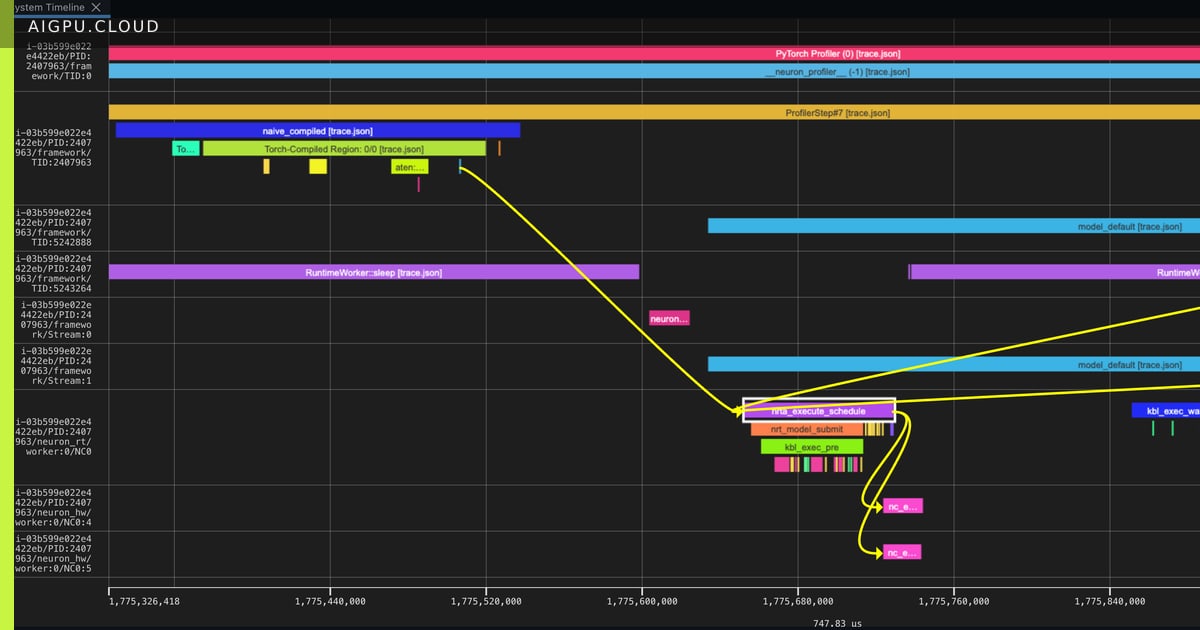
Profiling is the first step toward turning a slow model into a production‑ready service. This walkthrough shows how to instrument a TorchNeuron workload on AWS Trainium without any prior profiling experience.
TorchNeuron registers itself as a native PyTorch backend via the PrivateUse1 extension point, allowing standard eager execution, torch.compile, and custom NKI kernels to run unchanged on Trainium hardware.
To start profiling, create a NeuronConfig that selects the device and runtime streams, chooses which NeuronCores to trace, and enables device‑time correlation. Pass this config to torch.profiler.profile and wrap the run with a NeuronProfiler exporter that writes a combined trace.json plus matched .neff/.ntff files.
The resulting artifacts open in Neuron Explorer, a browser‑based viewer that visualizes the system trace, device timeline, and per‑engine breakdown. You can cross‑reference the numerical key_averages() table with the graphical timeline to pinpoint exactly where NeuronCore cycles are spent.
Why it matters for AI infrastructure
Understanding device‑level bottlenecks lets teams right‑size Trainium instances, optimize kernel selection, and reduce inference latency — critical for any GPU‑or‑AI‑accelerator cloud platform that promises predictable performance at scale.
- aigpu
- ai gpu
- ai gpu cloud
- aigpu dubai
- trainium
- torchneuron
- profiling
By AiGpu Editorial · Editorial rewrite based on public reporting (Hugging Face Blog)
← All articles