Industry·
ChatGPT Chrome Extension Gains Tab‑Reading and Sidebar Controls
OpenAI’s updated Chrome add‑on lets ChatGPT inspect open tabs, fill forms, and operate from a persistent sidebar, bringing browser‑level automation to everyday workflows.
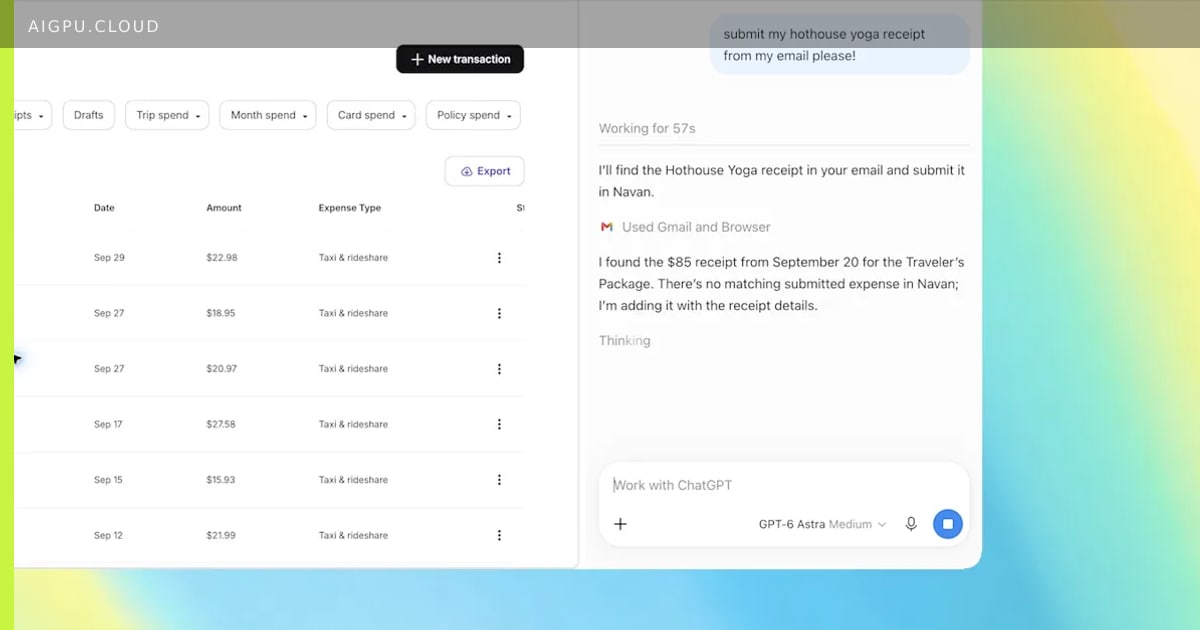
OpenAI has released a major upgrade to its ChatGPT Chrome extension. The add‑on can now read the content of any open tab when the user tags @chrome in a prompt, enabling tasks such as comparing product pages, populating registration forms, or drafting emails based on information spread across multiple tabs.
The extension also introduces a persistent sidebar that surfaces the full ChatGPT conversation history, allowing users to continue chats without leaving the current page. In Work mode, the assistant can control tabs directly — sending messages, filling fields, downloading files, and even grouping related tabs automatically.
Why it matters for GPU / AI infrastructure
These capabilities shift more inference workloads into the browser context, increasing demand for low‑latency GPU resources that can serve real‑time model calls from millions of concurrent users. Cloud providers offering scalable AI GPU clusters — such as aigpu.cloud — will see higher utilization as enterprises embed browser‑native assistants into daily operations.
- aigpu
- ai gpu
- ai gpu cloud
- aigpu dubai
- chatgpt
- chrome extension
- browser automation
- ai infrastructure
By AiGpu Editorial · Editorial rewrite based on public reporting (The Verge AI)
← All articles